




0.0 out of 5 stars (based on 0 reviews)
There are no reviews yet. Be the first one to write one.

| Updated | Mar 17, 2018 |
| Size | 6.7 MB |
| Version | 28.0 |
| Requirements | Android 4.1+ |
BDS Launchpad is a streamlined education platform built to provide students and teachers with a central hub for accessing school-related tools and digital resources. Instead of jumping between multiple apps, BDS Launchpad organizes everything into one clean dashboard. This makes schoolwork easier, faster, and more convenient for all users.
The app is built with simplicity in mind. Students can quickly log in to view assignments, connect to learning applications, check class updates, and access school-approved tools without confusion. Teachers gain an easy way to share materials, guide students, and support learning through a single access point.
BDS Launchpad enhances the overall digital classroom experience by minimizing technical barriers. Whether at home, at school, or on the go, learning materials stay within reach. The layout is visually friendly, making it suitable for younger students as well as older learners. Its responsive design ensures smooth navigation on both low-end and high-end devices.
For educational institutions, the platform helps centralize access and reduces the time spent managing multiple logins. This simplicity is what makes BDS Launchpad stand out as a reliable academic companion.
BDS Launchpad includes several valuable features to support daily learning:
These features make BDS Launchpad a dependable tool for managing the modern school environment.
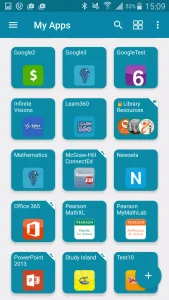
Using BDS Launchpad is straightforward. After installing the app, users log in with their school-provided credentials. Once inside, they see a clean dashboard filled with icons representing different learning tools and resources. With a single tap, students can open digital textbooks, learning programs, homework portals, or communication platforms.
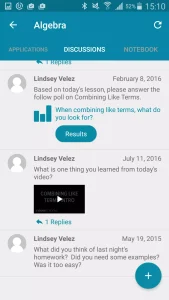
The app minimizes the need for repeated logins by providing a stable single-sign-on system. This allows younger students to navigate it easily without needing technical expertise. Teachers can assign materials through integrated tools, ensuring students always have access to what they need.
The platform works well for blended and online learning. Its offline-friendly interface lets students view certain cached content even without internet. The mechanics are student-centered — intuitive, non-distracting, and built to enhance productivity.
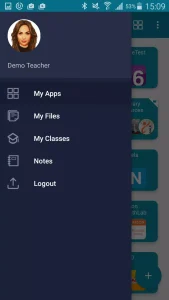
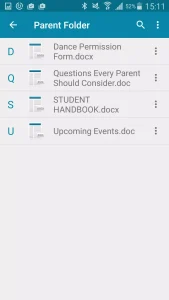
Because everything is stored under organized sections, users don’t waste time searching for apps or assignments. BDS Launchpad creates an environment where learning flows naturally.
To make the most out of BDS Launchpad, here are some helpful suggestions:
These habits help students and teachers maximize the app’s efficiency and convenience.
Q1: Who can use BDS Launchpad?
It is primarily designed for students, teachers, and school staff who are part of supported school districts.
Q2: Does it require an account?
Yes, you must use school-provided login details.
Q3: Can parents use it?
Parents can use the app to monitor student progress if their school provides access.
Q4: Does BDS Launchpad work offline?
Some tools may load offline, but most learning apps require an internet connection.
Q5: Is it suitable for younger students?
Yes, the interface is simple enough for early-grade learners.
BDS Launchpad is a practical choice for students and teachers who want an organized, reliable, and user-friendly educational tool. Its unified dashboard reduces confusion and helps learners focus on what truly matters — studying.
Whether you want to access classroom apps, check assignments, or stay connected with school activities, BDS Launchpad simplifies every step. The app’s lightweight design, secure login system, and intuitive layout make it one of the best digital platforms for school-related tasks.
By bringing all academic tools together, it saves time and enhances productivity, making it an excellent companion for the modern learning environment.
There are no reviews yet. Be the first one to write one.