




0.0 out of 5 stars (based on 0 reviews)
There are no reviews yet. Be the first one to write one.

| Developer | Speed Software |
| Updated | Jul 21, 2025 |
| Size | 3.09 Mb |
| Version | 4.12.8 |
| Requirements | 4.3 |
| Downloads | 1,000,000+ |
| Get it on |  |
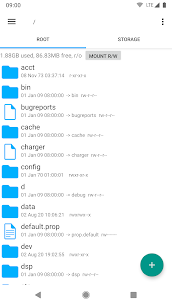
Root Explorer APK is one of the most powerful and versatile file management tools available for Android. Unlike standard file managers, Root Explorer provides full access to system files, allowing advanced users to modify, move, copy, or delete files that are usually hidden or protected by the operating system.
This app is essential for anyone who wants to tweak Android performance, customize system files, or manage deep storage directories. With Root Explorer APK, you can explore your device’s root directory safely, manage archives, edit configuration files, and back up essential data. It’s trusted by developers, Android enthusiasts, and tech-savvy users worldwide for its robust features and reliability.
Whether you are aiming to edit system databases, remove bloatware, or customize your Android OS, Root Explorer APK provides a professional, efficient, and easy-to-use platform for full control over your device.
📂 Full Root Access – Unlock and explore hidden system directories that are normally inaccessible.
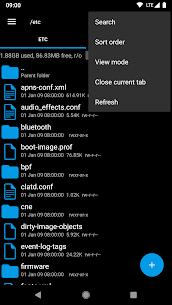
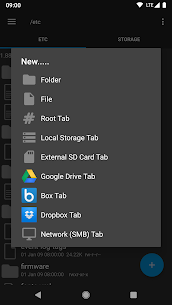
🗂️ Multi-Tab File Management – Open multiple tabs to manage files across different folders simultaneously, improving workflow and efficiency.
🔍 Advanced Search & Edit – Locate any file quickly, edit text, copy, move, or delete files with precision.
📜 SQLite Database Viewer & Text Editor – Directly view and edit database files for app configuration and system tweaks.
📦 Archive Management – Extract or create ZIP, RAR, TAR, and GZIP files effortlessly.
☁️ Cloud Storage Integration – Connect with Google Drive, Dropbox, Box, and other cloud services to manage files remotely.
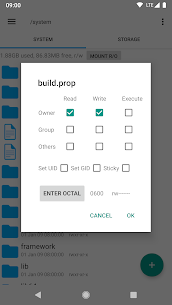
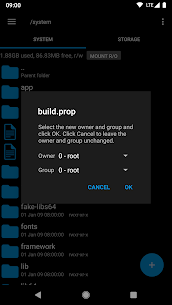
🔒 Permissions Manager – Modify file permissions to control access and security for sensitive system files.
📱 Lightweight & Fast – Despite its advanced functionality, Root Explorer runs smoothly even on mid-range devices.
Root Explorer APK is designed for advanced Android users who want complete control over their devices. Here’s what you can do:
/system, /data, and /etc for full customization.Multi-tab support makes it easy to jump between different folders while managing large amounts of data. Its user interface is designed for efficiency, allowing even complex tasks like batch file edits or permission changes to be completed with minimal effort.
Pros:
Cons:
Q1: What is Root Explorer APK?
It’s an advanced Android file manager that allows full access to root directories and system files.
Q2: Do I need root access to use it?
Yes, root access is required for full functionality. Some features may not work on unrooted devices.
Q3: Is Root Explorer safe?
Yes, it’s a trusted tool, but improper use of root permissions can harm your device.
Q4: Can it replace my default file manager?
Yes, it functions as a complete file manager while offering advanced root-level options.
Q5: Can I manage cloud files with it?
Yes, Root Explorer integrates with Google Drive, Dropbox, Box, and other cloud storage services.
Q6: Does it support compressed files?
Yes, it can create and extract ZIP, RAR, TAR, and GZIP archives.
Because it unlocks the full potential of your Android device, offering unmatched control over system files. From managing hidden directories to editing databases, Root Explorer is the ultimate tool for advanced users. Its combination of multi-tab browsing, cloud integration, archive management, and permission control makes it an essential app for anyone serious about Android customization, performance optimization, and file management.
Google Drive support removed
There are no reviews yet. Be the first one to write one.